You finish a session from your Runna plan, but Apple Health shows nothing. Or you ran with Apple’s Workout app and Runna never ticked the session off. Runna has two help pages for this: a troubleshooting guide for the Apple Watch and a page on Apple Watch runs not showing in Runna. Most of the time one permission is off, or Apple simply has not passed the run on yet. Here are the fixes in plain steps, as of November 2026.
First: which way is the run going?
Runna can send runs to Apple Health and read runs from it. Each direction has its own switch:
| Direction | What syncs | Setting | Main limit |
|---|---|---|---|
| Runna → Apple Health | Runs you record with Runna (on your iPhone or the Runna Apple Watch app), so they show up in Health and Apple Fitness | Runna: Profile → Connected Apps & Devices → Apple Health → Sync Completed Workouts. Health: allow Runna to write Workouts | Both switches must be on: the one in Runna and the write permission in Health |
| Apple Health → Runna | Runs recorded somewhere else, for example in Apple’s Workout app or Apple Fitness, so Runna can match them to your plan | iPhone Settings → Health → Data Access & Devices → Runna → allow it to read Workouts | Apple can take a few minutes to 2+ hours to pass the run on. You can also import by hand: Sync Completed Activities → Import |
Sources, as of November 2026: Runna: Troubleshooting Guide for the Apple Watch (menu paths, read and write permissions, 2+ hour delay, duplicates), Runna: Apple Watch run not showing in Runna (August 2026: pending workouts, manual import, do not reinstall) and Apple Support: Manage Health data.
8 fixes, in the order to try them
Find out which app recorded the run
Runna’s help page splits this in two. If you started the run in the Runna app, Runna has to send it to Health. If you started it in Apple’s Workout app or Apple Fitness, Health has it first and Runna has to read it. Open the Health app (Browse → Activity → Workouts) to see if the run is there at all.
Turn on Sync Completed Workouts in Runna
For Runna runs that are missing in Health: open the Runna phone app, tap Profile → Connected Apps & Devices → Apple Health and turn on Sync Completed Workouts. This is the switch that sends your Runna runs to Health.
Allow Runna to write Workouts in Health
The switch in Runna is not enough on its own. Open iPhone Settings → Health → Data Access & Devices → Runna (on newer iOS it can be Settings → Apps → Health). Under the write list, turn on Workouts. While you are there, turn on everything else too, such as heart rate and running speed.
Let Runna read Workouts too
For Apple Watch Workout or Apple Fitness runs that are missing in Runna: on the same Health screen, make sure Runna can read Workouts. Without read access, Runna cannot see runs recorded in other apps.
Give Apple some time
Runna says it can take a few minutes to 2+ hours for Apple to pass a workout through to Runna. If the run is already in Health, wait a little before you change more settings.
Import the run by hand
If the run is in Health but still not in Runna, use the manual import. In the Runna phone app tap Profile → Connected Apps & Devices → Apple Health → Sync Completed Activities → Import.
Check for pending runs on your watch
If you recorded the run in the Runna Apple Watch app, look on the watch’s main screen for a “Sync X Pending Workouts” prompt above Free Run and tap it. Runna also says: do not delete or reinstall the Runna app to fix this, because that can erase runs that have not synced yet.
Turn on Health access on the watch
Missing calories or heart rate often means a watch permission is off. On the Apple Watch open Settings → Health → Apps → Runna and turn every switch on. Then check Settings → Privacy → Location Services on the watch so GPS can work.
Run&Grow · free iPhone app
Make every Runna run count
- Free on iPhone
- Reads your runs from Apple Health
- No public feed, no pace shaming

4.6 on the App Store
Did the watch die mid-run?
If your Apple Watch ran out of battery during a Runna session, charge it, open the Runna watch app and look for the “Sync X Pending Workouts” prompt. Runna’s guide also suggests logging out (Profile → Log Out) to push a fresh sync. The one thing not to do is delete the app, because runs that have not synced yet can be lost.
Duplicate runs? Pick one app to write
If Runna and Strava both send the same run to Health, you get two copies. Runna’s guide suggests turning off Strava’s Workouts write permission in the Health app (your profile → Apps or Apps and Services → Strava). In Health you can also choose which source wins: open a data type such as Walking + Running Distance, scroll to Data Sources & Access, tap Edit and drag the source you trust to the top. More on the Strava side in Strava not syncing with Apple Health.
Is Runna still worth it?
If you want a structured plan for a 5K, half or marathon, many runners like it. It is a paid app after the trial; see how much Runna costs for the current prices. Comparing plan apps? Read Strava vs Runna, Runna vs Nike Run Club or our list of Runna alternatives. In the US, UK and Australia the steps are the same; only the menu names can change a little with your app and iOS version.
Keep your runs safe in Apple Health
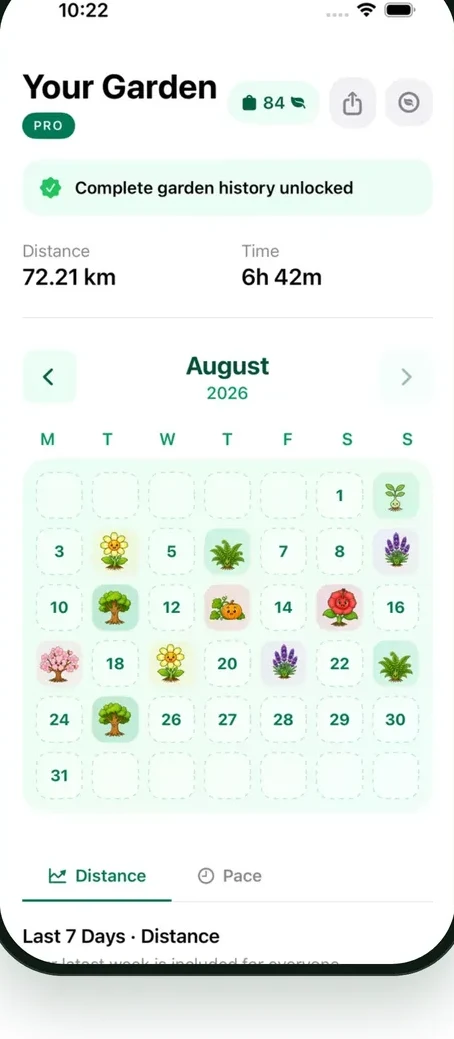
On iPhone, Apple Health is the best place to keep a copy of every run, because almost every running app can read from it. That is also how Run&Grow works: it reads runs from Apple Health, so a run recorded in Runna counts as soon as it reaches Health. Every run grows a plant in your garden. There is no public feed and no pace shaming, and if you skip a week, your garden waits. Chasing a faster pace on your plan? See is a 7-minute mile good? or check your splits with the pace calculator.
Compare more running apps
- MapMyRun not syncing with Apple Health? (8 fixes, one way only)
- Runkeeper not syncing with Apple Health? (8 fixes, both ways)
- adidas Running not syncing with Apple Health? (8 fixes)
- Nike Run Club not syncing with Apple Health? (8 fixes)
- Garmin Connect not syncing with Apple Health? (8 fixes)
- Gamified running apps (apps that make running feel like a game)
Frequently Asked Questions
- Why is Runna not syncing with Apple Health?
- Usually one of two switches is off. In Runna, tap Profile → Connected Apps & Devices → Apple Health and turn on Sync Completed Workouts. Then in iPhone Settings → Health → Data Access & Devices → Runna, allow Runna to write Workouts. Both need to be on for Runna runs to reach Health.
- Why are my Apple Watch runs not showing in Runna?
- If you used Apple’s Workout app or Apple Fitness, Runna has to read the run from Health. Allow Runna to read Workouts in the Health settings, wait up to a couple of hours, then use Profile → Connected Apps & Devices → Apple Health → Sync Completed Activities → Import in Runna. If the run is not in Health at all, Runna’s help page says to contact its support.
- Should I reinstall Runna to fix syncing?
- No. Runna’s help page warns not to delete or reinstall the app, because runs saved on the device that have not synced yet can be lost for good. Try the pending workouts prompt on the watch and the manual import first.
- Why do I see the same run twice in Apple Health?
- Usually because two apps wrote the same run, for example Runna and Strava. Runna’s guide suggests stopping Strava from writing workouts: in the Health app tap your profile → Apps (or Apps and Services) → Strava and turn Workouts off under the write list. Or record each run in one app only.
- Will my Runna runs count in Run&Grow?
- Yes, once they are in Apple Health. Run&Grow reads runs from Apple Health, so a run recorded in Runna counts after Runna sends it to Health, and it grows a plant in your garden. If it is not in Health yet, use the fixes above first.
Run&Grow · free iPhone app
A calmer way to keep running
- Free on iPhone
- Reads your runs from Apple Health
- No public feed, no pace shaming
4.6 on the App Store